Trending YouTube & Instagram Creators in 2026 — Plus How to Legally Save Videos for Your Shorts & Edits
India's creator economy isn't just growing — it's exploding. With nearly 500 million YouTube users and a creator economy valued at ₹2.5 billion in 2025 (and projected to double by 2027), it's never been a better time to know who's winning the algorithm right now. Here's a roundup of who's trending, what's driving the growth, and — since a lot of you ask — the actual legal way to save video content if you're making Shorts, Reels, or edits.
Who's Trending on YouTube India Right Now
KL Bro Biju Rithvik has quietly become India's most-subscribed individual creator, with over 81 million subscribers built on family-friendly, hyper-local Malayalam comedy. It's proof that relatable, regional content can outpace even the biggest gaming and entertainment channels.
CarryMinati (Ajey Nagar) remains one of the most recognizable names in Indian YouTube, with over 45 million subscribers built on high-energy roasts, sketches, and gaming content. He's consistently ranked among the highest-earning creators in the country.
Sourav Joshi Vlogs continues to dominate the daily-vlogging space, turning everyday lifestyle and family content into one of the most-watched vlog channels in India.
Gaming creators are still a powerhouse category — Techno Gamerz, Total Gaming, and Mr. Indian Hacker all sit comfortably above 45 million subscribers, driven by GTA V roleplay, Free Fire content, and viral experiment videos.
Comedy and sketch creators like Ashish Chanchlani and Round2Hell keep pulling huge numbers, while political/news commentary creators like Dhruv Rathee have carved out a massive, highly engaged audience around explainer-style content.
Why This Matters for 2026
A few big shifts are shaping the creator landscape this year:
- Shorts are now the discovery engine. Over 60% of channel discovery is happening through YouTube Shorts before viewers ever click into long-form content.
- Connected TV is the fastest-growing surface. Creators producing TV-grade, longer-form content are seeing 3–5x higher monetization than mobile-only creators, according to YouTube's own data.
- Regional and vernacular content is the new growth engine. Channels built around specific languages and local communities are outpacing many English-first channels.
- Creators are becoming "contentpreneurs." Many top names are no longer just making videos — they're building product lines, brands, and full businesses off their audience.
If you run a niche site or are building your own channel, the takeaway is simple: Shorts-first, regionally relevant, consistent uploads are what's winning the algorithm in 2026.
How to Legally Save Video Content for Your Shorts & Edits
This is the part people get wrong a lot, so let's be straight about it.
You cannot legally download someone else's monetized YouTube or Instagram video and reuse the footage in your own Shorts or edits — even with credit, and even using a "downloader" tool. That's copyright infringement, full stop, and it's exactly what gets channels demonetized, struck, or banned. YouTube's Terms of Service only permit downloading through tools YouTube itself provides.
Here's What's Actually Legal:
1. YouTube Premium's built-in download feature
This is the only method YouTube officially endorses. If you (or your viewers) have YouTube Premium or Premium Lite, a Download button appears under videos, letting you save them for offline viewing inside the YouTube app. Important limits to know:
- The file is encrypted and only plays inside the YouTube app — you can't extract it as an MP4 and reuse it elsewhere.
- It's for personal offline viewing, not redistribution or editing into new content.
- Premium Lite now supports this too as of February 2026, for most non-music videos.
2. Your own footage
The simplest legal source for Shorts and edits: anything you filmed yourself. No licensing questions, no risk.
3. Creative Commons–licensed content
Some creators explicitly license their videos under Creative Commons (CC BY), which permits reuse — sometimes with attribution requirements. YouTube lets you filter search results by Creative Commons license under search filters. Always check the specific license terms before using a clip.
4. Content you have explicit permission to use
If a creator gives you written permission, or you're using stock footage/B-roll from a royalty-free library (Pexels, Pixabay, Mixkit, etc.), you're in safe territory.
5. Official creator or brand download links
Some creators and brands provide direct download links to their own promotional content for fans to reuse — this is the only time downloading someone else's content is unambiguously fine, because they've authorized it themselves.
The bottom line: If you're building Shorts or edits to grow your own channel or site, lean on your own footage, Creative Commons material, and royalty-free libraries. It's not just the legally safe route — original or properly licensed content also tends to perform better long-term, since platforms increasingly favor original uploads over recycled clips.
Want more breakdowns of what's trending in India's creator economy? Check back on downso.space — we'll be tracking the biggest movers every month.
The digital landscape in 2026 demands reliable video downloading tools. With each platform restricting native downloads, you need one trusted solution. Our YouTube video download guide, Instagram video download instructions, and similar guides for TikTok, Facebook, and Pinterest give you the power to save content legally.
All Blog Guides 2026
Trending YouTube & Instagram Creators 2026
Who's winning the algorithm right now plus the legal way to save videos for your Shorts & edits.
Read Guide →
FIFA World Cup 2026 Highlights
Watch, download & create football content with Cape Verde's Cinderella run and France's dominance.
Read Guide →
YouTube Video Download
Download YouTube videos in HD, Full HD, 4K. Save videos, playlists, Shorts to MP4 for free.
Read Guide →
Instagram Reels Download
Save Instagram Reels, videos, Stories, photos. No watermark, original quality.
Read Guide →
TikTok Video Download
Download TikTok videos without watermark. Quick saves in original quality.
Read Guide →
Facebook Video Download
Download Facebook videos in HD. Save family memories and events.
Read Guide →
Pinterest Video Download
Download Pinterest recipe videos, DIY tutorials, creative content.
Read Guide →
Download YouTube Videos on Android – Fast & Easy
Download YouTube videos on Android in 4K, 1080p, 720p, convert to MP3, and download Shorts. No app or software needed.
Read Guide →
Why Every Creator Should Back Up Their Own YouTube and Instagram Content (2026 Guide)
Protect your digital assets. Learn why backing up your YouTube videos, Reels, Shorts, and Instagram posts is essential for every creator, influencer, and business.
Read Guide →
App vs Browser Comparison
Why browser-based downloaders are safer than apps for Instagram videos.
Read Guide →
YouTube Video Download in 2026
Legal considerations, working methods, and security risks explained.
Read Guide →
YouTube Video Download 2026 — Complete Guide
How to Download YouTube Videos
- Copy Video URL: Open YouTube, tap Share → Copy Link
- Paste & Download: Visit downso.space/youtube, paste URL, click Download
- Choose Quality: Select 720p, 1080p, or 4K, then save MP4
Works on iPhone, Android, Windows, Mac. See our YouTube to MP3 guide.
YouTube Quality Options 2026
| Quality | Resolution | File Size (10 min) | Best For |
|---|
| SD | 480p | ~50 MB | Mobile, low storage |
| HD | 720p | ~100 MB | Daily viewing |
| Full HD | 1080p | ~150 MB | High quality |
| 4K | 2160p | ~500 MB+ | Large screens |
Instagram Video Download 2026 — Complete Guide
Supported Content Types
- Instagram Reels: MP4, up to 1080p, no watermark
- Stories: MP4, original quality, public only
- Photos: JPG, full resolution, no compression
- Carousels: All slides downloaded at once
How to Download Instagram Videos
- Get Link: Open Instagram, tap three-dot menu (⋯) → Copy Link
- Paste URL: Visit downso.space/instagram, paste link
- Download: Tap Download and save MP4 to your device
iPhone: Use Safari → Download Linked File. Android: Chrome saves to Downloads.
TikTok Video Download 2026 — Complete Guide
How to Download TikTok Videos
- Copy Video Link: Open TikTok, tap Share → Copy Link
- Paste URL: Visit downso.space/tiktok, paste the link
- Download: Click Download and save MP4 to your device
TikTok Quality Options
| Quality | Resolution | File Size |
|---|
| Standard | 720p | ~15-30 MB |
| HD | 1080p | ~30-50 MB |
Facebook Video Download 2026 — Complete Guide
How to Download Facebook Videos
- Copy Video Link: Open Facebook, tap menu (⋯) → Copy Link
- Paste URL: Visit downso.space/facebook, paste link
- Download: Click Download and save MP4 to your device
Facebook Quality Options
| Quality | Resolution | File Size (5 min) |
|---|
| SD | 480p | ~25 MB |
| HD | 720p | ~50 MB |
| Full HD | 1080p | ~100 MB |
Pinterest Video Download 2026 — Complete Guide
How to Download Pinterest Videos
- Copy Video Link: Open Pinterest, tap menu (⋮) → Copy Link
- Paste URL: Visit downso.space, paste the link
- Download: Click Download and save MP4 to your device
Tip: Pinterest videos are perfect for recipe collections and DIY tutorials.
Instagram Video Downloader — Browser vs App 2026
Why Browser-Based Wins in 2026
- No installation required — save storage space
- No login required — your account stays secure
- No intrusive advertisements interrupting downloads
- Faster downloads — no app loading time
- Works on iOS 18 and Android 15 identically
- No permissions to photos, contacts, or data
Warning: Apps requesting Instagram login steal accounts. Never enter your password.
Universal Free Video Downloader Process
All platforms follow the same simple process:
- Copy the video URL from any supported platform
- Paste it into Downso's download input box
- Click Download and select your quality
- Save the MP4 file to your device
Frequently Asked Questions
Q: Is the video downloader free in 2026?
Yes, completely free. No subscriptions, no payments, no download limits.
Q: Can I download private videos?
No. Only publicly visible content can be downloaded. This applies to all platforms.
Q: Do I need to create an account?
No account needed. Simply paste a video link and download instantly.
Q: Are downloaded videos safe?
Yes. We do not modify files or add malware. You receive the original file.
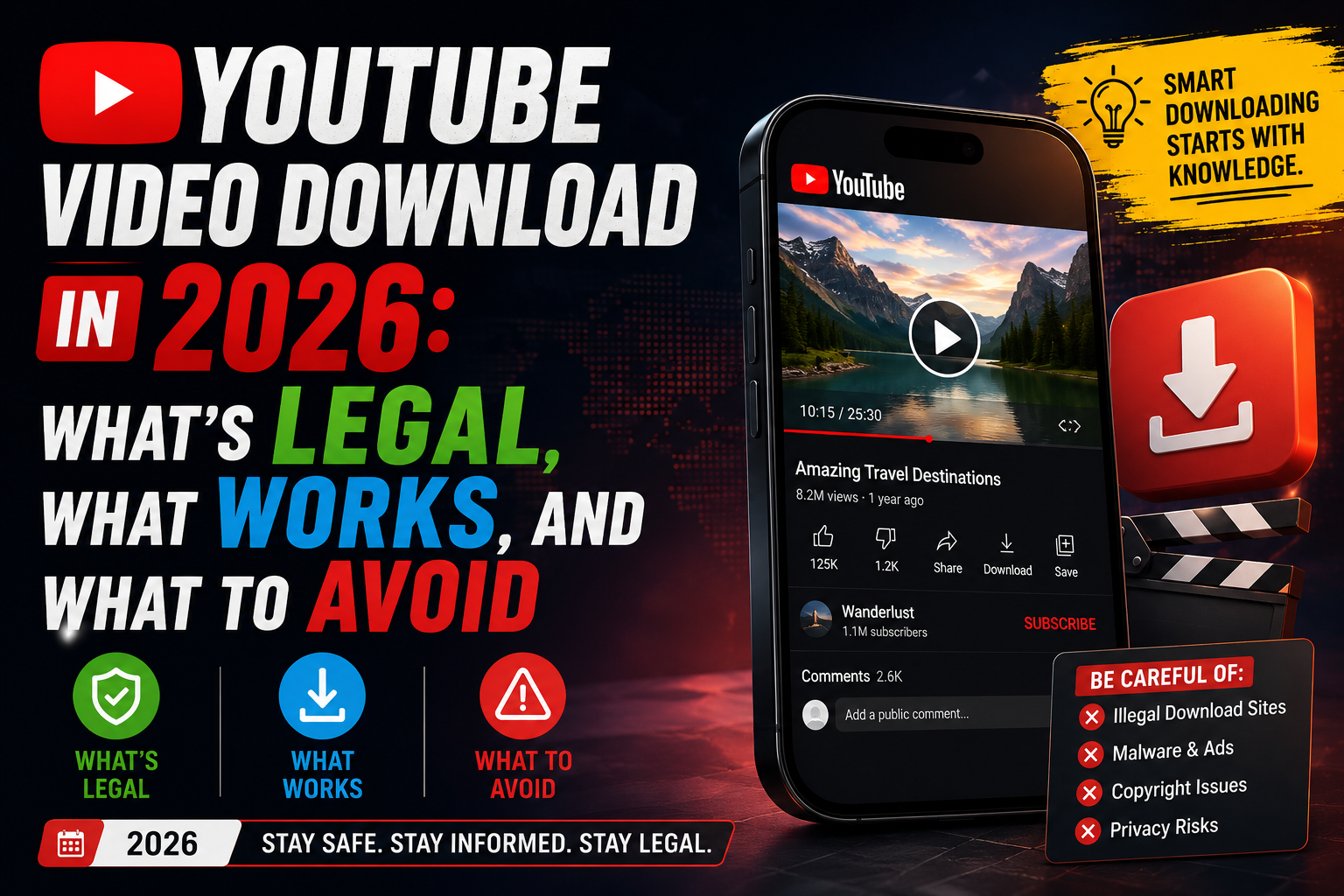
YouTube Video Download in 2026: What's Legal, What Works, and What to Avoid
"YouTube video download" remains one of the most searched terms online. Every month, millions of people look for ways to save videos for offline viewing, education, travel, content management, or personal use. Yet despite the popularity of the search, there is still significant confusion about what is legal, what actually works in 2026, and which tools users should avoid.
This guide explains the current landscape, including YouTube's policies, popular download methods, security concerns, and best practices for users who want to access content offline.
Is It Legal to Download YouTube Videos?
The answer depends on what content is being downloaded and how it will be used. YouTube officially allows downloading through features it provides directly, such as offline viewing within YouTube Premium.
Beyond official download features, users should consider both platform policies and copyright laws before downloading content.
- Your own uploaded videos – generally permitted.
- Creative Commons content – often permitted under the license terms.
- Public domain content – typically unrestricted.
- Private offline viewing – may conflict with platform policies.
- Re-uploading copyrighted content – may create legal and copyright risks.
Users should always verify ownership and licensing rights before downloading or using any content outside the platform.
The Official Option: YouTube Premium
YouTube Premium remains the most straightforward way to save videos for offline viewing. Subscribers can download supported videos directly inside the YouTube app and watch them without an internet connection.
The primary limitation is that downloaded videos remain inside the YouTube ecosystem. They are not traditional video files that can be moved, edited, or transferred to other devices.
Popular YouTube Download Methods in 2026
Desktop Applications
Desktop software remains popular because it often supports playlists, channels, multiple resolutions, and advanced management features.
Many users prefer desktop applications because they provide a more stable experience compared to browser-based alternatives.
Open-Source Solutions
Open-source tools continue to attract technical users due to their transparency, frequent updates, and community-driven development.
Because the code is publicly available, users can review how the software works and evaluate security risks more effectively.
Browser-Based Downloaders
Browser-based services remain popular because they require no installation. Users typically paste a video URL, select a format, and begin the download process.
While convenient, reliability varies significantly between providers.
Media Players and Network Streams
Some media players can open YouTube videos as network streams, allowing users to watch content without relying entirely on a web browser.
Although not always a permanent download solution, this approach remains useful for temporary viewing scenarios.
What Users Are Searching For in 2026
Search behavior around YouTube downloads continues to evolve. Common searches include:
- YouTube video downloader
- Download YouTube videos online
- YouTube to MP3 converter
- Download YouTube Shorts
- 4K YouTube downloader
- Best free video downloader
- Save YouTube videos offline
- Download videos without software
- YouTube playlist downloader
- Mobile video downloader
These searches reflect a growing demand for flexible offline access and content management tools.
Security Risks and Red Flags
Not every download service is trustworthy. Users should be cautious when evaluating new tools.
- Unexpected software installations.
- Fake download buttons.
- Misleading advertisements.
- Notification permission requests.
- Unknown ownership information.
- No update history or changelog.
- Suspicious redirects.
- Excessive pop-up windows.
Choosing actively maintained and reputable solutions can reduce security risks significantly.
Quick Comparison
| Method |
Legality |
Cost |
Best For |
| YouTube Premium |
Official |
Subscription |
Offline mobile viewing |
| Desktop Applications |
Varies |
Free / Paid |
General users |
| Open-Source Tools |
Varies |
Free |
Technical users |
| Browser-Based Services |
Varies |
Usually Free |
Quick downloads |
Frequently Asked Questions
Is downloading YouTube videos legal?
Legality depends on content ownership, licensing, intended use, and local laws.
Can I download my own YouTube videos?
Yes. Downloading content that you personally uploaded is generally permitted.
What is the safest way to save videos for offline viewing?
YouTube Premium remains the most straightforward official option.
Are browser downloaders safe?
Safety varies widely. Users should be cautious of ads, pop-ups, and unknown providers.
Do YouTube downloaders still work in 2026?
Some remain functional, while others struggle to keep pace with platform updates.
Can I download videos on mobile devices?
Mobile options exist, but availability depends on platform policies and device restrictions.
Why Every Creator Should Back Up Their Own YouTube and Instagram Content (2026 Guide)
Imagine waking up tomorrow to discover that your YouTube channel or Instagram account has been suspended, hacked, or locked during a verification review. Would you still have access to your videos, Reels, Shorts, and years of creative work?
For many creators, businesses, influencers, and agencies, the answer is no.
Most content creators spend years building a library of videos and posts but never create a proper backup. Their content exists only on YouTube or Instagram, leaving them vulnerable to account issues, accidental deletions, policy disputes, or security breaches.
Learning how to back up your own YouTube videos and Instagram content is one of the smartest steps you can take to protect your digital assets.
Why Content Backups Matter More Than Ever
Content creation is no longer just a hobby. For many creators, YouTube and Instagram represent:
- A full-time income source
- A personal brand
- Client work and portfolios
- Educational content libraries
- Marketing assets
- Business documentation
Losing access to any of these can result in lost revenue, missed opportunities, and countless hours of work disappearing overnight. A proper YouTube channel backup ensures that your content remains accessible regardless of what happens to your social media accounts.
What Does Backing Up Your Own Content Mean?
Backing up content means creating secure copies of videos, Shorts, Reels, and posts that you personally created and own. This is not about downloading someone else's content. Instead, it's about:
- Exporting YouTube videos you own
- Saving Instagram posts from your own account
- Downloading your own Reels
- Creating local archives of your creative work
- Preserving original quality files
Common Reasons Creators Lose Access to Content
Account Suspension
Even legitimate channels can occasionally face temporary restrictions, reviews, or accidental suspensions. Having a backup means your content remains safe while any appeals or reviews are being processed.
Account Hacking
Cybersecurity threats continue to grow each year. If your account is compromised, having local copies ensures your content is protected.
Accidental Deletion
Creators often remove older content during rebrands or channel cleanups. Backups allow you to preserve those files before making changes.
Platform Changes
Social platforms regularly update policies, features, and content guidelines. Having your own archive prevents dependency on a single platform.
How to Back Up Your Own YouTube Videos
If you're wondering how to download your own YouTube channel or create a secure archive, the process should always begin with account verification. The safest approach is to use tools that verify ownership through your account rather than relying on public URLs.
A reliable creator backup solution should allow you to:
- Export YouTube videos you own
- Download original video quality
- Save multiple resolutions
- Create archives of Shorts and long-form videos
- Access files whenever needed
How to Back Up Instagram Posts and Reels
Instagram creators face similar challenges. Many users invest years creating Reels, Stories, Posts, Carousels, and Promotional content. A proper backup system helps you:
- Download your own Instagram videos
- Save your own Reels
- Archive posts before deleting them
- Maintain content libraries for future campaigns
Benefits of Using a Creator Content Backup Tool
- Protect Against Account Suspension — A backup ensures that temporary account issues do not disrupt access to your content.
- Preserve Original Quality — Keep videos in the highest available resolution.
- Save Time — No need to recreate content from scratch if files are lost.
- Simplify Content Repurposing — Use existing videos for Shorts, Reels, TikTok, Blog, and Marketing campaigns.
- Create Long-Term Archives — Build a secure library that remains available regardless of platform changes.
What to Look for in a Content Backup Tool
When choosing a content backup tool for creators, look for account verification, multiple format support, browser-based access, and strong security. The best tools support HD video exports, 4K exports, audio-only exports, and multiple file formats through a web-based interface.
Backing Up Content Is Part of Being a Professional Creator
Social media platforms are powerful distribution channels, but they shouldn't be the only place your work exists. Whether you're a YouTuber, Instagram creator, influencer, agency owner, educator, or business, maintaining backups of your own content is one of the simplest ways to protect years of effort. By creating a reliable backup strategy today, you'll ensure that your videos, Reels, and posts remain safe, accessible, and ready for future use.
FIFA World Cup 2026 Highlights: Watch, Download & Create Football Content with Downso.space
The 2026 FIFA World Cup is dominating global sports conversations as the group stage concludes and knockout matchups take shape. From Cape Verde's historic Cinderella run to France's dominant performances and viral fan celebrations, football fans worldwide are searching for match highlights, analysis videos, and tournament updates.
If you're looking to watch World Cup coverage, save videos for offline viewing, or create football-related content, Downso.space helps simplify your video research and content workflow.
Cape Verde's Historic World Cup Journey
One of the biggest stories of the tournament is Cape Verde's incredible performance. The small island nation shocked football fans by earning results against major teams and advancing to the knockout stage.
Now, football fans are eagerly anticipating a blockbuster clash against Argentina and Lionel Messi. Social media platforms and YouTube are filled with:
- Match highlights
- Fan reactions
- Tactical analysis
- Player performances
- Tournament predictions
France Emerging as Tournament Favorites
France has looked unstoppable throughout the group stage, finishing with a perfect record and impressive attacking performances. Football creators and analysts are producing content covering:
- France's tactical approach
- Star player performances
- Golden Boot predictions
- World Cup title chances
- Knockout stage previews
Viral World Cup Moments Taking Over Social Media
The World Cup is not just about football. Fans are sharing:
- Viral celebrations
- Norway's famous "Viking Row"
- Fan reactions from around the world
- Stadium atmosphere videos
- Match-day experiences
- Behind-the-scenes content
These moments often generate millions of views and become trending topics across YouTube, Instagram, TikTok, and X.
Watch FIFA World Cup Videos Online
Football fans turn to YouTube and other platforms to watch:
- Match highlights
- Goal compilations
- Post-match analysis
- Press conferences
- Fan reactions
- Tactical breakdowns
- Tournament predictions
Video content helps fans stay connected with every moment of the competition.
Download Football Videos for Research and Offline Viewing
Many sports creators, journalists, educators, and analysts save publicly available videos for:
- Offline viewing
- Match analysis
- Educational content
- Research projects
- Football commentary
- Content planning
With Downso.space, users can easily access and manage online video content as part of their creative workflow.
Creating Original Football Content
The World Cup creates endless opportunities for creators to produce:
Match Analysis Videos
Break down tactics, formations, and key moments.
Player Performance Reviews
Analyze the performances of stars like Lionel Messi, Kylian Mbappé, Jude Bellingham, and emerging talents.
Fan Reaction Content
Discuss viral moments and tournament storylines.
Educational Football Content
Explain football rules, tactics, and tournament formats.
Prediction Videos
Share knockout stage predictions and championship forecasts.
Use Video Clips Responsibly
When creating football content, always follow copyright rules and platform policies. Good practices include:
✅ Adding original commentary
✅ Creating transformative content
✅ Using short clips for analysis where permitted
✅ Including educational context
✅ Following platform guidelines
Avoid:
- Reuploading full match footage
- Uploading copyrighted broadcasts
- Claiming ownership of third-party content
- Republishing highlights without permission
The best-performing sports creators provide unique insights, analysis, and entertainment rather than simply reposting existing footage.
Why Football Creators Use Downso.space
Downso.space supports creators by helping them:
- Save videos for offline review
- Organize research materials
- Study football tactics
- Prepare match analysis
- Create educational content
- Build sports commentary channels
Whether you're covering the FIFA World Cup, UEFA Champions League, Premier League, La Liga, Serie A, or international football, Downso.space helps streamline your content workflow.
SEO Keywords: FIFA World Cup 2026, World Cup highlights, FIFA World Cup videos, football highlights download, watch World Cup videos online, Cape Verde World Cup, Argentina vs Cape Verde, Lionel Messi World Cup, France World Cup 2026, football analysis videos, sports video downloader, YouTube football videos, football content creator tools, World Cup match highlights, football commentary videos, sports research videos, download football videos, Downso.space, YouTube video downloader, football editing workflow.